Slot Indicator — Availability & Capacity Framer Component
Slot Indicator is a lightweight Framer component that turns a simple filled/total number into an immediate visual signal. Instead of text like "3 of 8 spots left," visitors see exactly which slots are taken at a glance — no reading required.
Where it works
The component is built for any situation where capacity or availability matters:
Coaching and class booking pages — show how many spots remain in a program or session
Group fitness and workshops — display live availability without custom code
Product pages — indicate stock levels or limited availability
Event pages — visualize ticket tiers or capacity
Fully customizable in the properties panel
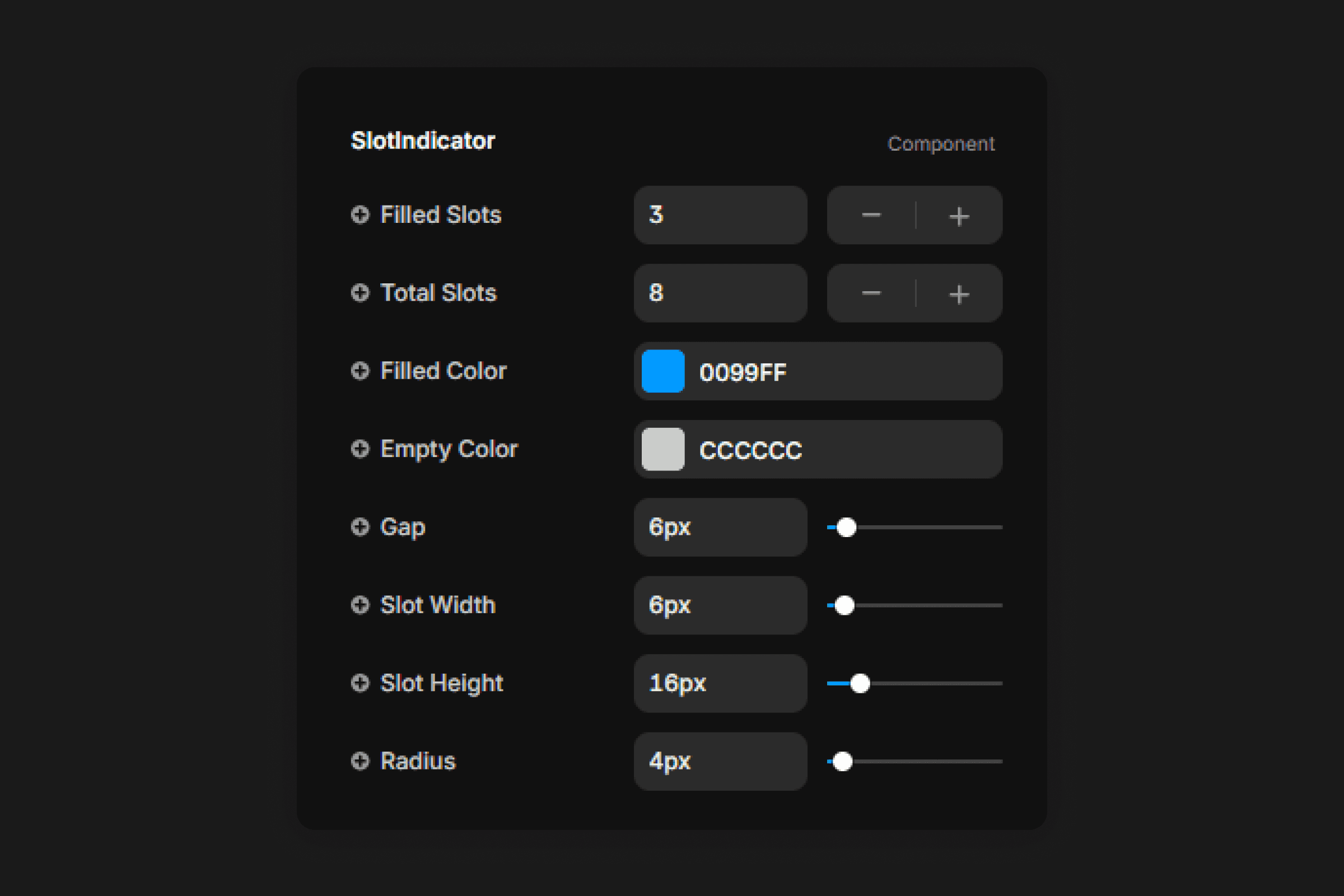
Every visual detail is exposed as a Framer variable. Slot width, height, gap, border radius, filled color, and empty color are all adjustable directly in the panel — no code, no overrides.
CMS-ready
Slot Indicator accepts its Filled Slots and Total Slots values as bindable number fields, so it works natively inside a Framer Collection List. Bind it to your CMS and every card automatically shows the correct availability for that item.
Frequently asked questions
How do I add Slot Indicator to my Framer project?
Copy the component URL from this page, open your Framer project, click anywhere on the canvas, and paste it. Slot Indicator appears instantly — no purchase needed.
What can I customize in Slot Indicator?
Filled color, empty color, slot width, slot height, gap between slots, border radius, and the number of filled and total slots are all available as variables in the properties panel. No code needed.
Can I bind Slot Indicator to a Framer CMS field?
Yes — the Filled Slots and Total Slots properties accept number values and can be bound directly to CMS Number fields inside a Collection List. Each item in your collection will automatically display its own availability.
Can I use Slot Indicator inside a template I bought from Sebadam.supply?
Yes — Slot Indicator is compatible with any Framer project, including all templates from Sebadam.supply. Paste it onto your canvas and customize it to match your design in seconds.
Categories
Paste it into your project