How to Build a Lawyer Website That Gets You Clients
Most lawyer websites look professional but don't book consultations. Here's the exact structure that gets clients — the right pages, what to write in each, the compliance details that matter, and how to launch without a developer.

8
min read









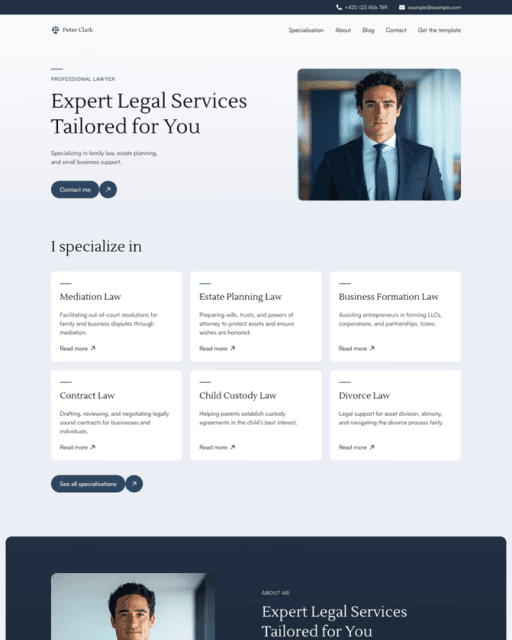




Most lawyer websites look professional but don't book consultations. Here's the structure that actually gets clients — the right pages, what to write in each one, the compliance details that matter, and how to launch without a developer.
A lawyer website that gets clients does three things well: it states your practice area and location in the first five seconds, it stacks trust signals — bar admissions, years in practice, and real case results — above the fold, and it makes booking a consultation effortless. Most law firm websites do none of these. They look professional — polished stock photography, a serif logo, the word “trust” above the fold — but they give a stressed visitor no reason to choose this firm over the next result.
I build Framer templates at sebadam.supply, and I’ve studied what separates a lawyer website that books consultations from one that just exists. This guide covers the exact structure — the pages you need, what to write in each one, the compliance details that matter, and how to launch without a developer.
Why Most Lawyer Websites Don’t Get Clients
Before fixing the structure, it helps to understand what goes wrong. Most lawyer websites fail for the same handful of reasons:
The hero is vague. “Experienced legal representation you can trust” describes every firm and none. Someone searching for a lawyer is usually comparing three or four at once, often in a stressful moment. If they can’t tell in five seconds what you practise, where you work, and why you’re credible, they move on.
There are no trust signals above the fold. Hiring a lawyer is high-stakes and high-anxiety. Bar admissions, years in practice, case results, and real testimonials are the deciding factors — not design. A homepage that hides them is leaving its biggest conversion lever untouched.
Practice areas are just a list. “Family law, criminal defence, personal injury” as three words tells a worried client nothing. Someone facing a specific situation wants to know you’ve handled it before, how the process works, and what happens next.
There’s no clear next step. Legal clients need reassurance to act. A site without an obvious, low-pressure call to action — “Book a free consultation” — loses people who were ready to reach out.
The Pages Your Lawyer Website Needs
You don’t need twenty pages. But a single homepage isn’t enough for a firm with multiple practice areas and a real need to build credibility. Here’s the core structure:
Home — Your primary conversion page. Hero with a clear headline, location, and CTA (“Book a free consultation”). Trust signals immediately below — bar admissions, years in practice, cases handled. Brief practice-area overview, testimonials, and a contact prompt.
About — Not a mission statement. Your about page should answer what clients actually want to know: who the attorneys are, where you’re admitted to practise, how long you’ve been trading, and what you specialise in. Named attorney bios with photos build the human trust that makes people call.
Practice Areas — One page listing your services with enough detail to be useful — not just labels. For each area, cover what it involves, who it’s for, and a CTA to enquire.
Practice Area detail pages — Individual pages for your key services: family law, criminal defence, personal injury, estate planning, immigration. Each can rank independently for local searches like “personal injury lawyer [city]” — this is where the serious SEO leverage lives.
Case Results / Testimonials — Real outcomes and client reviews with names or initials build the credibility that converts hesitant clients. Where confidentiality applies, anonymise but keep the specifics.
FAQ — Answer what clients ask before calling: How much is a consultation? How are fees structured? How long will my case take? An FAQ removes friction and pre-qualifies enquiries.
Blog — Covered below. Worth its own page from day one.
Contact — One simple form and a visible phone number. Name, email, phone, matter type, and a short message. Many visitors won’t fill in a form — they’ll call — so make the number prominent.
What to Write in Each Section
Knowing which sections to include is step one. Knowing what to write is where most lawyers get stuck.
Hero headline formula: practice + location + outcome. “Personal injury lawyers in [city] — no win, no fee.” It’s direct, local, and answers the three questions a client is asking: Can you help me? Are you near me? Can I trust you?
Practice areas: Write for someone who doesn’t know the law. “Estate planning” means little to a worried client. “Estate planning — wills, trusts, and protecting your family’s assets” means something. Explain the process and what to expect.
Testimonials: Specific results beat vague praise every time. “Great lawyer, very professional” is forgettable. “Sarah handled our custody case with real care and we kept primary custody” is convincing.
About page: Lead with credentials — bar admissions, years in practice, notable cases or recognitions — then the human story. A named, photographed attorney outperforms a faceless firm every time.
Trust and Compliance Come First
Legal is different from most industries: your website is bound by professional conduct and advertising rules, and your visitors are anxious. Two things matter more here than almost anywhere else.
Compliance. Bar associations regulate how lawyers advertise. Avoid guaranteeing outcomes, be careful with words like “specialist” or “expert” if your jurisdiction restricts them, and include the disclaimers your regulator requires — for example, that past results don’t guarantee future outcomes and that the site isn’t legal advice. Check your local bar’s advertising rules before you publish.
Trust. Stack every legitimate credibility signal: bar admissions, professional memberships, years in practice, awards, verified reviews, and clear fee transparency. In a field where clients are choosing who to trust with a stressful problem, credibility is the whole game.
Why Local SEO Starts With Your Blog
Most law firms ignore the blog. That’s an opportunity.
When someone is injured in a car accident, they Google “should I get a lawyer after a car accident.” When someone is getting divorced, they search “how does child custody work in [state].” These are your clients, searching before they’re ready to call — and the firm whose website answers those questions is the one that gets the enquiry when they are.
You don’t need to post weekly. Six to ten posts a year, targeting the questions your clients actually ask, builds local authority over twelve to eighteen months. Topics worth writing about:
“How much does a divorce cost in [city]?”
“What to do immediately after a car accident”
“Do I need a lawyer to make a will?”
“How long does a personal injury claim take?”
“What happens at a first consultation with a lawyer?”
Write the way you’d explain it to a client across the desk. That tone performs better than formal legal writing, and it’s faster to produce.
How to Launch Your Lawyer Website Without a Developer
A custom law firm website typically costs several thousand dollars and takes weeks to deliver. For most solo lawyers and small firms, that’s money and time better spent elsewhere.
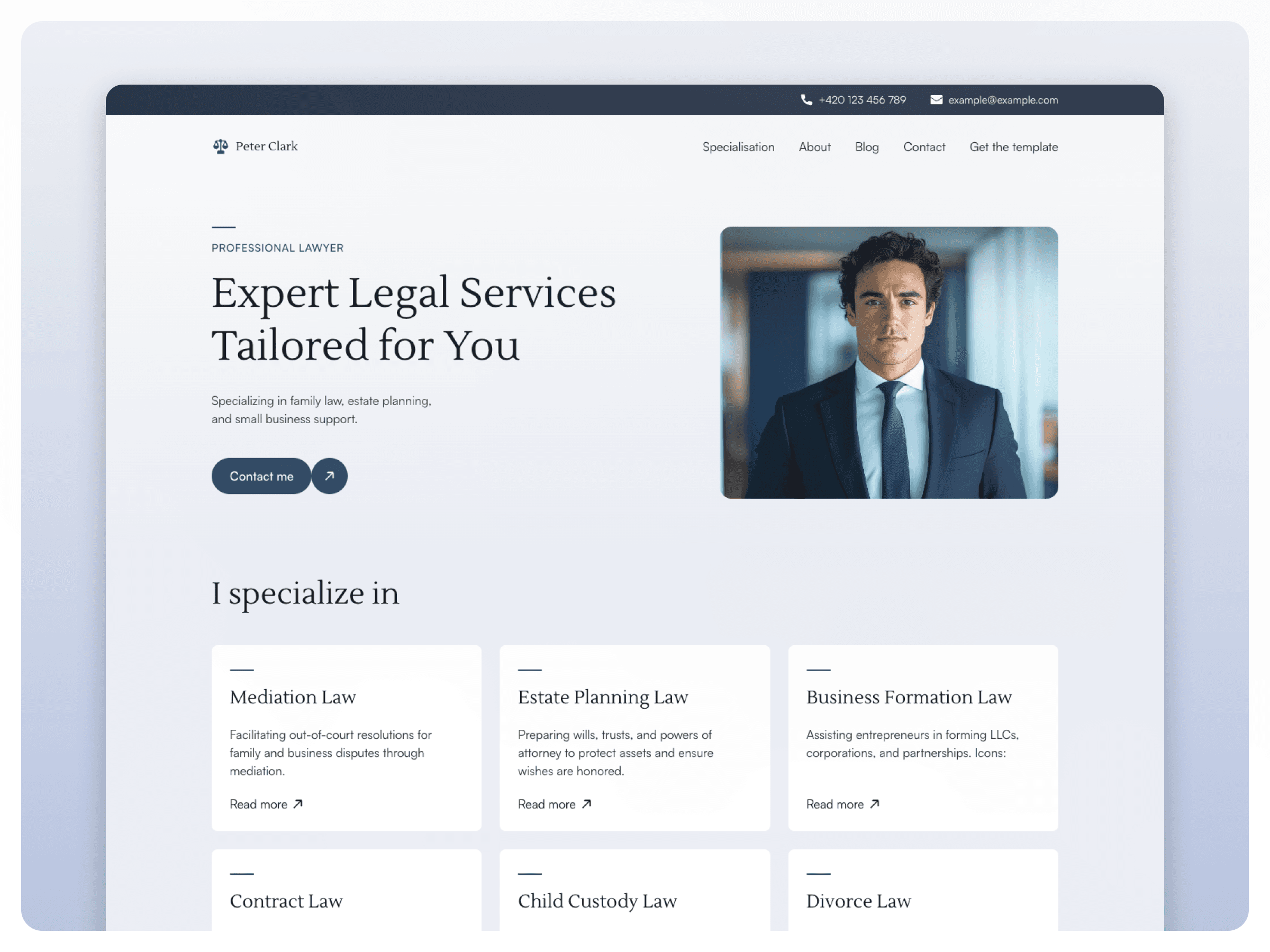
A Framer template built for lawyers gives you the same professional structure — home, about, practice areas, testimonials, FAQ, blog, contact — without the cost or the wait. You customise everything in Framer’s visual editor, connect your domain, and you’re live. Most lawyers are up and running in under 24 hours.
Lawfolio is a free Framer template built specifically for lawyers and law firms. It includes dedicated pages for your practice, a CMS-powered Specialisations section so you can add and edit practice areas without code, and a built-in blog for the local SEO covered above. It’s the fastest way to a credible lawyer website — and it’s free. If you want to compare options first, see our roundup of the best Framer templates for lawyers.
Want to compare options before you pick one? Our shortlist of the 5 best Framer templates for lawyers compares Lawfolio with four alternatives.
Frequently asked questions
What pages does a lawyer website need?
At minimum a lawyer website needs: home, an about page with attorney bios, a practice areas page, testimonials or case results, an FAQ, and a contact page with a consultation CTA. Dedicated pages for individual practice areas — family law, personal injury, criminal defence — significantly help local SEO. A blog is worth including from day one.
How much does a lawyer website cost?
A custom law firm website usually costs $2,000–$8,000 and takes weeks to build. A Framer template gives you the same professional structure for free up to around $99, and you can launch in under 24 hours without a developer. Lawfolio is a free option built specifically for lawyers.
Do I need to know how to code to build a lawyer website?
No. With a Framer template you edit text, images, colours, and practice areas directly in the visual editor — no code required. You add your content, connect a domain, and publish. Most lawyers go live in under 24 hours.
What should a law firm homepage include?
A strong homepage leads with a clear headline stating your practice and location, trust signals above the fold (bar admissions, years in practice, results), a brief practice-area overview, real testimonials, and a prominent “Book a consultation” CTA with a visible phone number.


