The Best Aquarium Website Templates in 2026
Looking for a website template for your aquarium business? Here's an honest breakdown of every purpose-built option available in 2026 — what each one includes, who it's actually for, and which one is worth your time.

6
min read



Looking for a website template for your aquarium business? In 2026, purpose-built options are rare — Webflow has none, and most WordPress themes weren't built with service businesses in mind. This guide breaks down the three best options available, two WordPress themes and one Framer template, with honest pros and cons so you can pick the right one without adapting something that was never designed for you.
The Best Aquarium Website Templates in 2026
The right aquarium website template depends on whether you also sell products. For a combined service-and-shop site on WordPress, AquaPro is the strongest option; for a service-only business (design, installation, maintenance) on Framer, there is Aqua Dream; and Aqualots is a subscription-based WordPress theme. Aquarium-specific templates are rare — if you’re building a website for an aquarium business you have fewer options than almost any other industry, and most people end up adapting a generic service or agency template that never quite fits.
This guide covers every purpose-built aquarium template available right now, across the three main platforms where they exist: Framer, WordPress, and Webflow.
Spoiler on Webflow: there are no aquarium templates. If you’re set on Webflow, you’ll need to start from a generic service template and customise heavily.
For WordPress, two dedicated aquarium themes exist. For Framer, there’s one, built for service-based aquarium businesses rather than shops.
Disclosure: I made Aqua Dream, so take that into account. This list isn’t a ranking: each template is here for a different kind of aquarium business, so start with the row in the table that sounds like you.
At a Glance: 3 Aquarium Website Templates Compared
Template | Platform | Price | Best For |
|---|---|---|---|
WordPress | ~$49 | Aquarium services plus an online shop (WooCommerce) | |
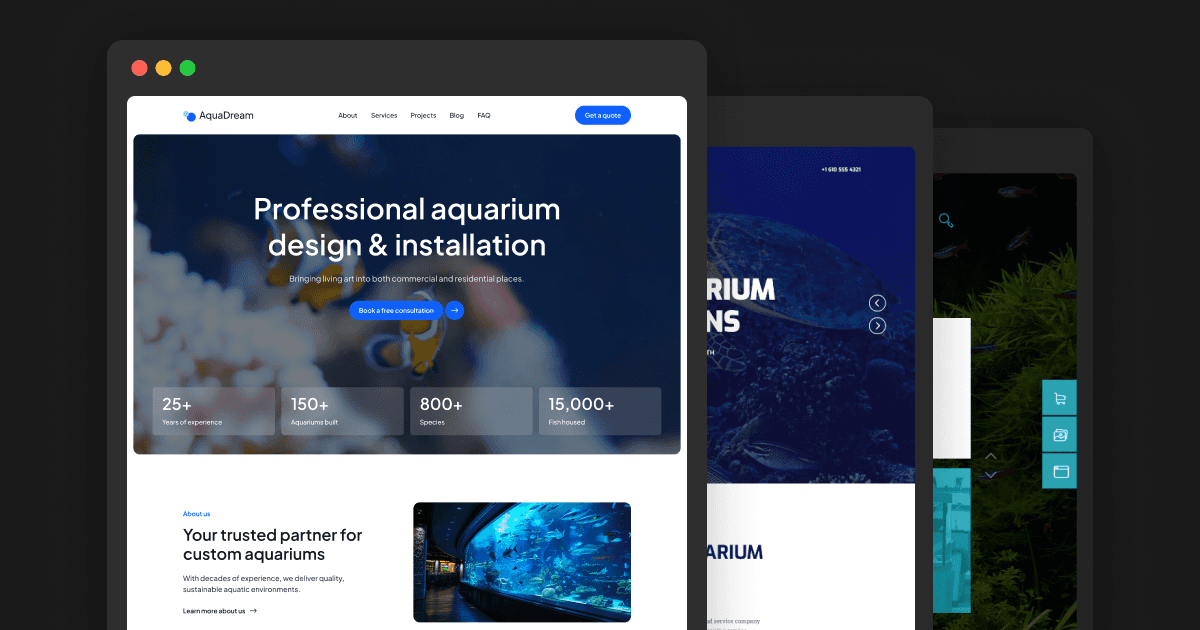
Framer | $79 one-time | Service-only businesses: design, installation, maintenance | |
WordPress | From €14.50/month | Existing ThemeREX subscribers who need WooCommerce |
What to Look for in an Aquarium Website Template
Before getting into the options, a quick checklist. A good aquarium business template should have:
A portfolio-first layout — your work is your primary sales tool
Service pages — Design, Installation, Maintenance need their own space
CMS support — for adding projects, updating services, and publishing blog posts without touching code
Conversion structure — testimonials, contact form, and clear CTAs built in
Fast, responsive design — most first visits happen on mobile
With that in mind, here’s how the available options stack up.
AquaPro — Best WordPress Option for Combined Service + Shop
Platform: WordPress | Price: ~$49 on ThemeForest
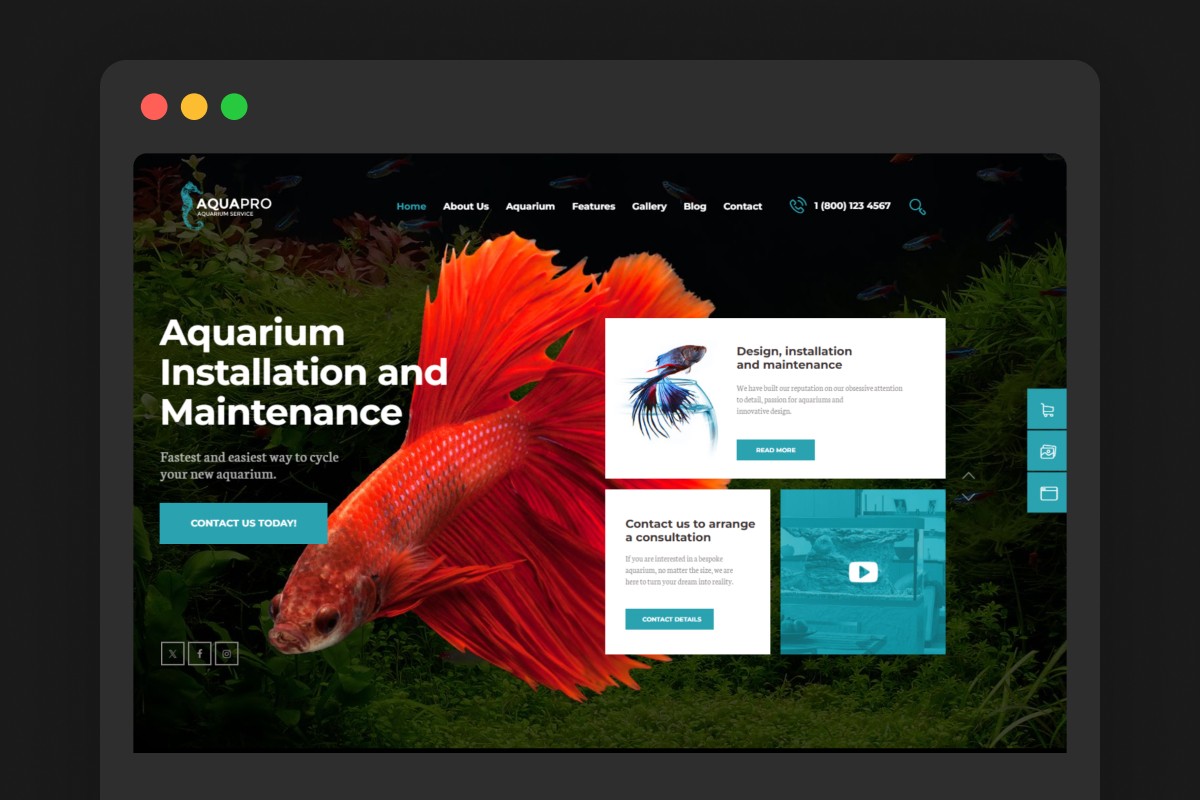
AquaPro by AncoraThemes is a WordPress theme built for both aquarium service businesses and online stores. It has 305 sales and has been actively maintained, with a recent update in February 2026 for WordPress 6.9 compatibility.
What’s included:
3 homepage variations
Full WooCommerce integration for selling products online
Pre-built pages: about, services, team, gallery, blog, contact
WPBakery Page Builder for layout customisation
Revolution Slider included
Responsive and SEO-ready
Pros:
WooCommerce-ready — the right choice if you sell aquarium supplies or accessories alongside services
305 sales and regularly updated — proven and maintained
Multiple homepage options give you layout flexibility
Lower upfront cost than Aqua Dream
Cons:
WPBakery is an older, clunkier page builder — editing is less intuitive than Framer
WordPress requires more setup: hosting, WordPress install, plugin management
The design leans more toward a general pet/shop aesthetic than a premium service business
More suited to aquarium shops with some service offerings than pure maintenance businesses
Higher ongoing cost when you factor in WordPress hosting ($10–25/month) plus any premium plugins
Best for: Businesses that combine aquarium services with product sales, or those already on WordPress who want a purpose-built starting point.
Aqua Dream — Best for Aquarium Service Businesses
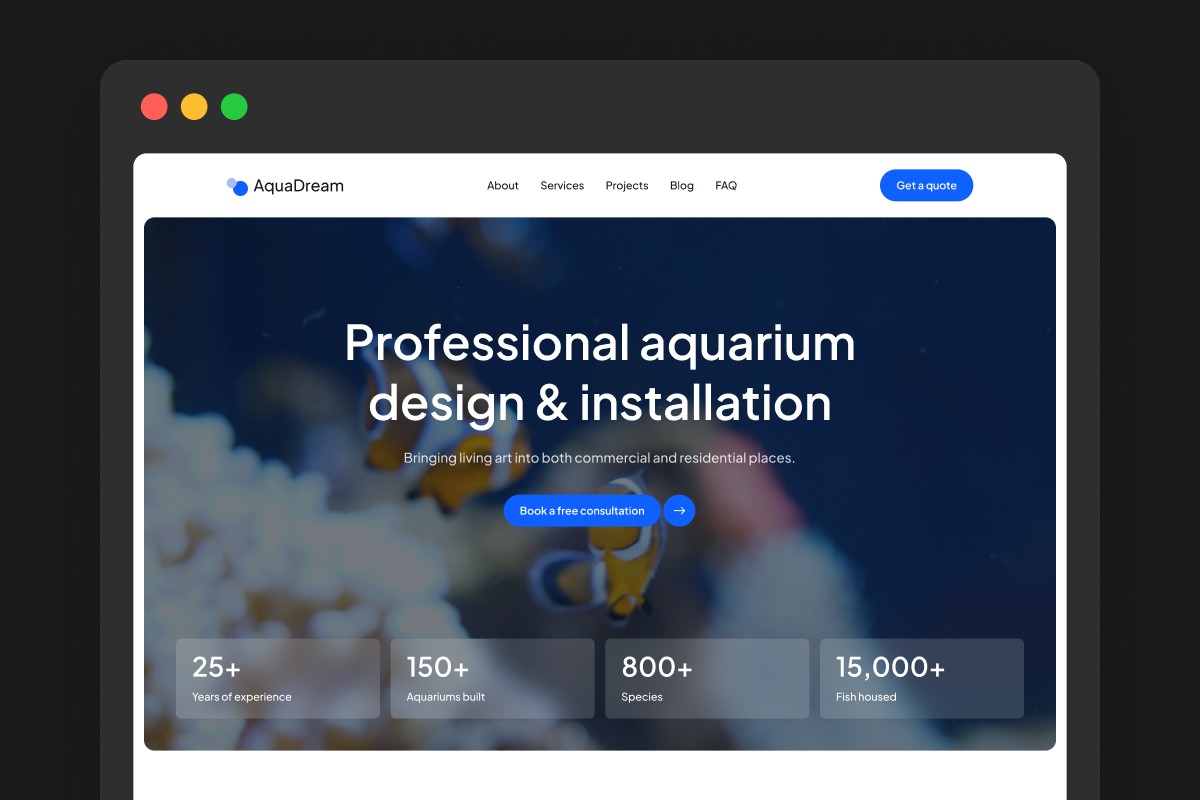
Platform: Framer | Price: $79 one-time
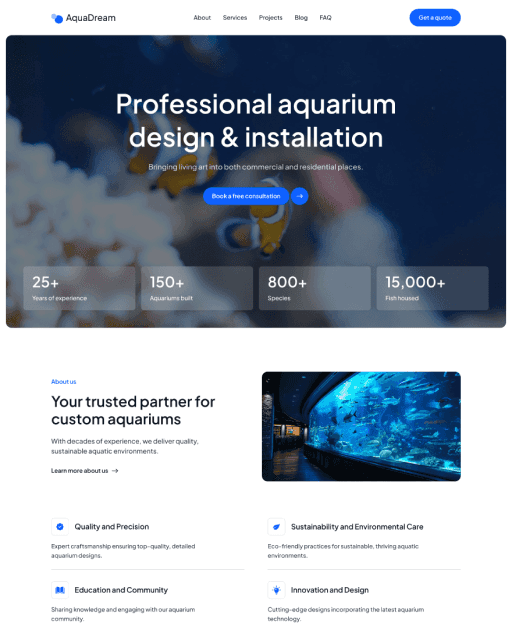
Aqua Dream is a Framer template built specifically for aquarium service businesses — studios that design, install, and maintain bespoke aquatic environments for residential and commercial clients. Every page and section was designed around how this type of business actually sells: through completed project work, service credibility, and trust built before the first enquiry.
What’s included:
9 pages: Home, About, Services (CMS), Projects (CMS), Blog (CMS), FAQ, Contact, 404
Three CMS collections — services, projects, and blog — all managed without code
Projects split by commercial and residential for maximum relevance
Testimonials placed at the exact points in the page flow where hesitation peaks
Built-in contact form — no third-party plugins
Stats bar on the homepage for instant credibility
Fully responsive, SEO-optimised, fast on every device
Commercial license included
Pros:
Built for aquarium service businesses (not shops)
Framer’s visual editor is easier to use without code than WPBakery
Three CMS collections pre-built — add projects and services immediately
Launches in under 24 hours
No plugins or WordPress updates to maintain
Clean, modern design that positions premium service work correctly
Cons:
$79 upfront cost (the others are cheaper or subscription-based)
No e-commerce — if you also sell products, you’d need a separate solution
Framer only, so it’s not an option if you’re committed to WordPress
Best for: Aquarium maintenance companies, custom installation studios, and residential or commercial aquarium service providers who want to launch quickly and look professional without a developer.
Aqualots — WordPress Theme on Subscription
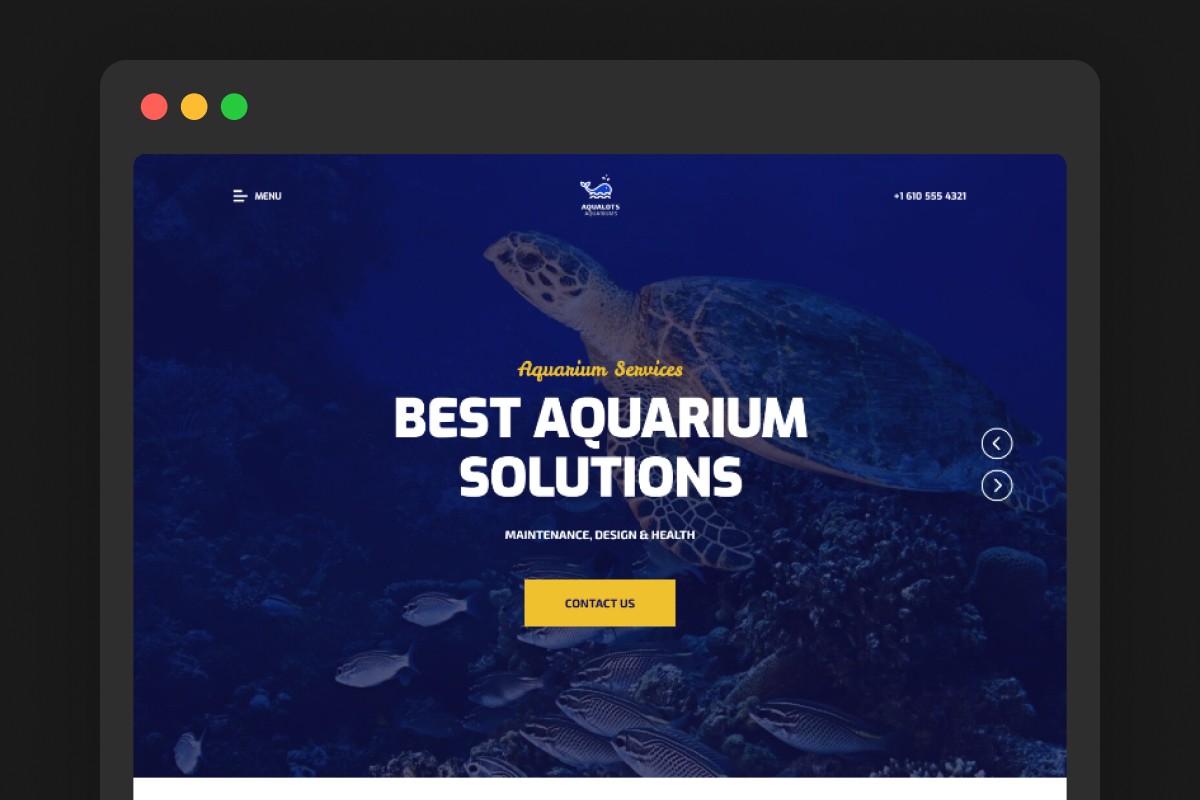
Platform: WordPress | Price: From €14.50/month (ThemeREX subscription)
Aqualots by ThemeREX is a WordPress theme from ThemeREX — a prolific theme marketplace developer. Like AquaPro, it covers aquarium installation, maintenance services, and online store functionality.
What’s included:
Page layouts via WPBakery shortcodes and widgets
Essential Grid galleries for showcasing projects
WooCommerce compatibility
Responsive design
Blog functionality
Pros:
Covers the core aquarium service and shop use cases
Essential Grid gives solid gallery presentation
ThemeREX subscription includes access to 27+ million other assets — useful if you need stock imagery or design elements
Cons:
Subscription model — you pay monthly to keep access, rather than owning the template outright
WPBakery again — the same editing limitations as AquaPro
Design is older and more generic than the other options
WordPress overhead: hosting, plugin management, updates
The subscription makes it more expensive over time compared to a one-time template purchase
Documentation lists compatibility tested up to WordPress 5.7 — which raises questions about how thoroughly it’s been updated for current versions
Best for: Businesses already subscribed to ThemeREX who want an aquarium-ready starting point, or those who need WooCommerce built in and don’t mind the subscription model.
What About Webflow?
No purpose-built aquarium template exists on Webflow. If you’re committed to Webflow, you’d need to start from a generic service or agency template and rebuild the structure to suit your business — a significant amount of extra work, and a higher hosting cost ($23+/month for a CMS plan).
For most aquarium businesses starting fresh in 2026, Webflow isn’t the right call unless you already have Webflow experience and a specific reason to use it.
How to Choose
You sell aquarium products and services combined, and you’re already on WordPress → AquaPro. WooCommerce integration is the deciding factor here.
You run an aquarium maintenance or installation business and want to go live fast → Aqua Dream. It’s built for this use case, but has no ecommerce, so it only fits if you don’t sell products.
You need WooCommerce and already have a ThemeREX subscription → Aqualots makes sense as a no-extra-cost option.
You’re considering Webflow → No aquarium templates exist. Factor in significant customisation time and higher hosting costs before committing.
For a pure aquarium service business (design, installation, maintenance), Aqua Dream is the closest fit. If you also sell products, AquaPro’s WooCommerce setup matters more than anything else on this list. The WordPress options are broader in scope but designed with product shops in mind, which means adapting them for a service-only business requires more work, not less.
Not sure what your site needs first? Read our guide on how to create a website for your aquarium maintenance business.
Frequently asked questions
Is there a free aquarium website template available?
No quality free template exists that's purpose-built for aquarium businesses. Free Framer and WordPress templates are available, but none are designed for the aquarium service niche. The closest purpose-built option is Aqua Dream (my own template) at $79 one-time.
Which platform is best for an aquarium maintenance website — Framer or WordPress?
It depends on whether you sell products. WordPress with AquaPro makes more sense if you run an online store alongside your services. For a service-only business, Framer is easier to edit and has no plugins to maintain, and Aqua Dream (my own template) is built for that case.
Can I use an aquarium template if I also sell products online?
For product sales, AquaPro or Aqualots are better fits — both include WooCommerce. Aqua Dream is built for service businesses and doesn't include e-commerce functionality.
How much does it cost to launch with an aquarium website template?
Aqua Dream: $79 template plus a paid Framer site plan. AquaPro: ~$49 template plus WordPress hosting (~$10–25/month) and any premium plugins. Aqualots: ThemeREX subscription from €14.50/month plus WordPress hosting. First-year totals are comparable, so the deciding factor is whether you need a shop.