The 3 Best Personal Trainer Website Templates (Framer + Webflow)
Three personal trainer website templates compared — Framer and Webflow options with honest pros/cons, pricing, and a clear recommendation for each use case.

4
min read











The best personal trainer website templates are on Framer and Webflow. For a quick lead-gen launch, Empower (Framer, $59) is the top pick. For class schedules and a blog, Gymtrainer (Webflow, $49) offers more depth.
Summary (Short verdicts)
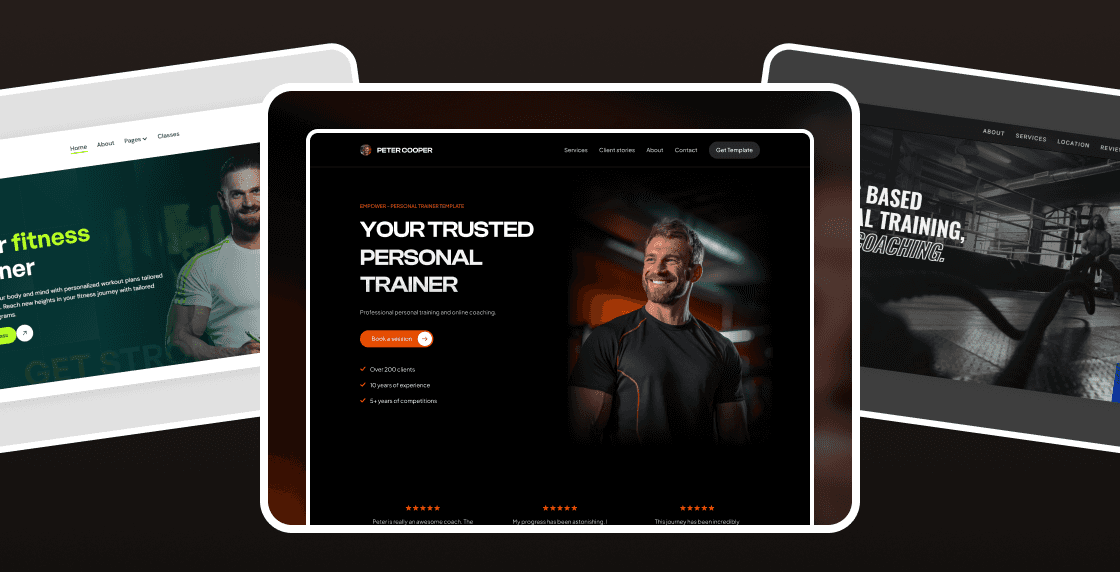
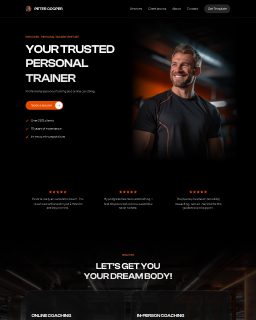
Empower (Framer, $59): Fastest way to launch a premium trainer site. Straightforward, optimized, truly easy to customize, and looks high-end. Paid, but worth it for speed and polish.
Gymtrainer (Webflow, $49): Multi-page fitness site with classes, packages, and a CMS blog. Strong SEO setup. More configuration than a simple landing.
XFIT (Webflow, $29): Clean one-page dark theme to get online fast with sleek interactions. Limited depth out of the box (no blog/CMS by default).
What problem are we solving (and which options make sense)?
When you say "personal trainer website," you usually mean one of three things:
Lead-gen Landing — hero, services/programs, transformations, pricing, testimonials, booking/contact. Built to convert inquiries.
Studio / Classes Site — schedules, packages/memberships, locations, reviews, and a few supporting pages.
Content-Driven — publish tips/workouts (blog/CMS) to build authority and organic traffic.
This guide focuses on Framer and Webflow because they hit a sweet spot:
More flexible and better-looking than typical Wix/WordPress themes out of the box.
Less complex than custom code—you can edit visually, ship fast, and still scale design quality.
Strong design systems (components, styles) and performance/SEO features that matter for furniture imagery.
What we'll look at: the best fit for each use case, how fast you can launch, editing experience (components, global styles), lead/booking flow, and whether you need depth (classes/blog) or just inquiries.
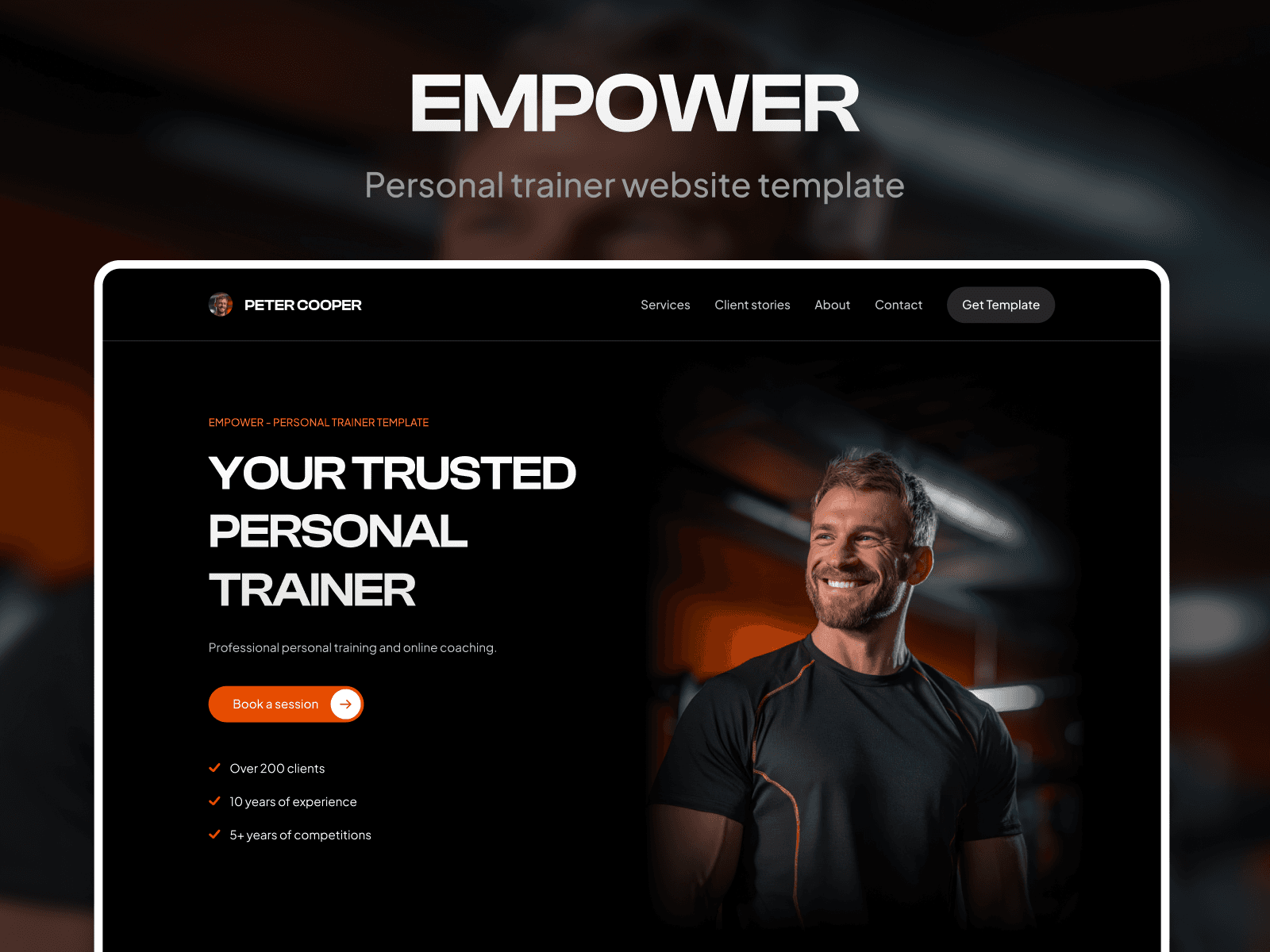
Empower — Gym & Fitness Trainer Template (Framer, $59)
What it is
A clean, modern Framer landing for trainers/coaches. Built for conversions: programs/services, transformations, testimonials, pricing, and clear booking/contact.
Pros
Optimized and beginner-friendly
Edits in minutes: Color/Text Styles + reusable sections → change once, updates everywhere
Premium vibe with straightforward layout
Lead-focused CTAs; SEO basics; fully responsive
Short mini-guide for fast launch
Cons
Not a full classes/blog stack by default
Paid ($59), but saves significant build time
Best for
Trainers who want to launch today, look premium, and convert visitors into bookings without extra complexity.
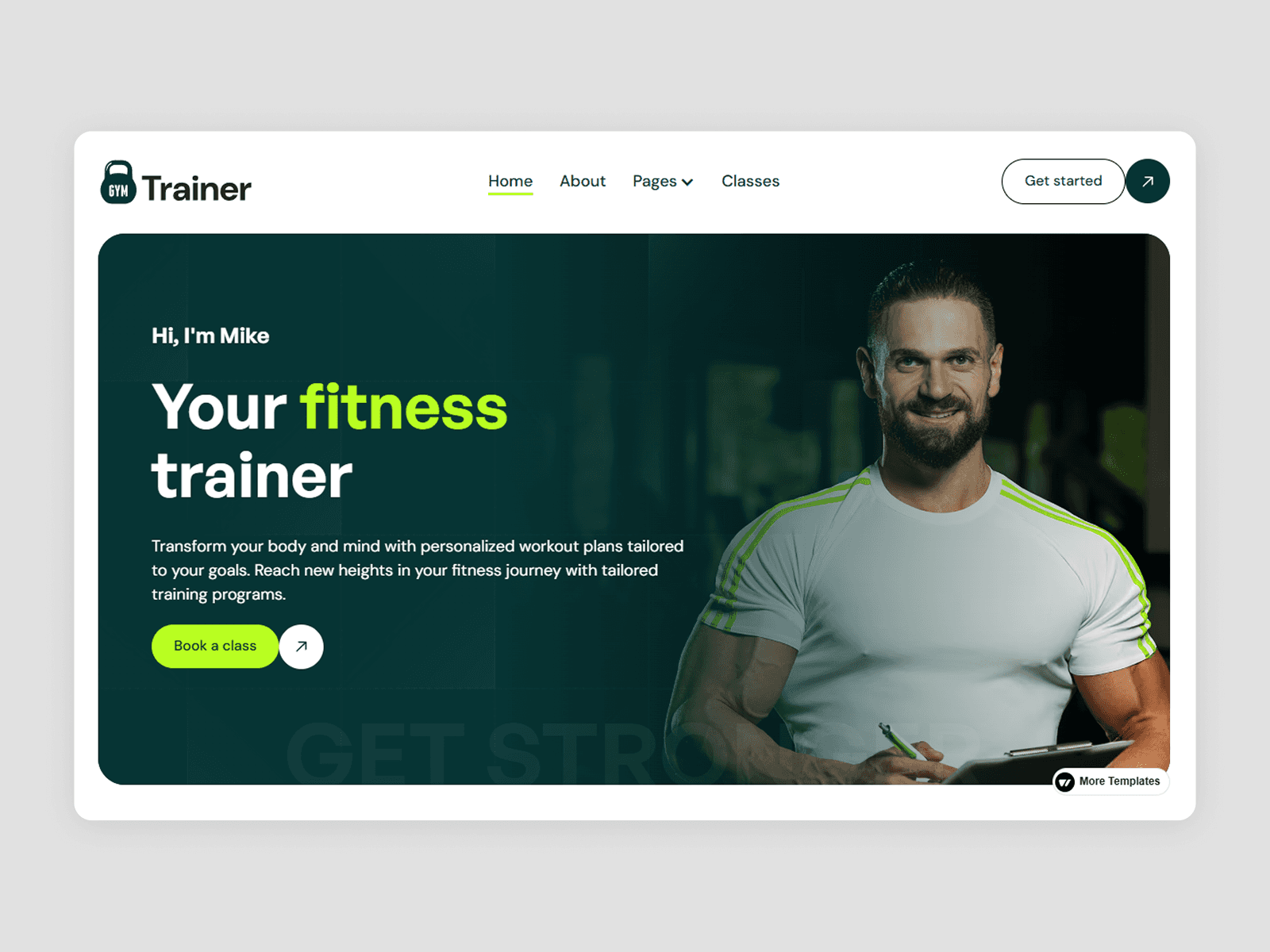
Gymtrainer — Wellness Website Template (Webflow, $49)
What it is
A multi-page Webflow template for trainers, coaches, and gyms with classes, packages, reviews, and a CMS blog.
Pros
Depth out of the box: classes, packages/memberships, blog, reviews
Performance/SEO focus; mobile-first structure
CMS for ongoing content and authority building
Free design assets; style guide and instructions included
Cons
More setup/complexity than a single-page landing
Paid template + Webflow plan costs
Best for
Fitness businesses that need schedules, packages, and content marketing alongside core pages.
XFIT — Wellness Website Template (Webflow, $29)

What it is
A one-page, dark, modern template to get online fast with polished interactions.
Pros
Quick launch: hero, about, services, reviews, contact on one page
Sleek motion; easy brand swaps via style guide
Budget-friendly entry into Webflow
Cons
Limited depth out of the box (no blog/CMS)
One-page scope; you'll add pages later if you scale content
Best for
Solo trainers who need a stylish one-pager now and can expand later.
Which should you pick?
I need to launch today (lead-gen, no classes/blog): Empower (Framer, $59). Paid, but worth it for speed and polish.
I need classes, packages, and a blog: Gymtrainer (Webflow, $49). Strong structure and SEO; more setup.
I want a sleek one-pager on a budget: XFIT (Webflow, $29). Fast to ship; limited depth initially.
Frequently asked questions
What is the best website builder for personal trainers?
Framer and Webflow are the best options for personal trainers who want a polished site without coding. Framer is faster to edit and better for simple lead-gen pages. Webflow is stronger when you need class schedules, memberships, or a CMS blog. Both deliver significantly better design quality than Wix or standard WordPress themes out of the box. If you're new to Framer, the Framer tutorials on sebadam.supply cover everything from editing content to publishing your site.
Do I need a website template or should I build from scratch?
A template is almost always faster and cheaper than building from scratch. A good personal trainer template already includes the right sections — services, transformations, testimonials, pricing, and a contact form. You just replace the content with your own. Building the same result from scratch typically costs 5–10x more in time or money. If you want to see what a polished Framer trainer template looks like, Empower is a strong example.
How much does a personal trainer website cost?
A template-based site costs $29–$59 for the template plus your monthly hosting. Framer hosting starts at around $5/month. Webflow plans start at around $14/month. Total first-year cost is typically $100–$250 — compared to $1,000–3,000+ for a custom-built site from a freelancer or agency.
What pages should a personal trainer website have?
At minimum, you need a homepage with a clear hero, your services or programs, client transformations or results, testimonials, pricing, and a contact or booking form. If you run classes, add a schedule page. A blog is optional but helps with long-term SEO by letting you publish workout tips and training advice over time — the Gymtrainer Webflow template includes a ready-made CMS blog for this.